I promise that I am not going to blog about this everyday, but this was part of the original post, but it got too long, so I had to split it in two.

Let's talk about your Blogger Profile. No matter where you blog, your Blogger Profile can be a great way for people to find you and your blog. If you really don't want people to ready your blog, keep reading, because we will talk about ways to HIDE your blog too!
We will start with the Privacy section (the first section you will see if you click EDIT PROFILE) Here is what I know:
 1 - Share My Profile
If you do not have the box checked on Share my profile, people will receive a message from blogger when they click on your name that says your profile is not available. They will not see your profile that includes the link to your blog.
If you do have it checked, people will be able to see your profile. You will still be able to limit the amount of information people can see.
Do you have that box checked? Why or why not?
2 - Show My Real NameIf you have this box checked your first AND last name will appear in your profile.
I personally like people knowing my first name, but don't really want my last name floating out there. So I choose to leave this unmarked, but I use my first name as my Display name (in the Identity section)
3 - Show My Email AddressThis one is a big one (and one of the MAIN reasons I wanted to talk about blogging)
If you have the box checked, there will be a link on your profile that says Email. People can click it to send you an email.
Also, if you leave a comment on someones blog they will be able to reply to you directly from your comment. This is one of my favorite features! Especially when someone asks me a question in the comment section. I can just reply to them through email and I know they will get the answer.
If you have the box checked and you do not share your profile,
bloggers will still be able to reply to your comments via email messages.
If you do not have the box checked the Email link will not appear under Contact in your profile. If you leave a comment on a blog and they want to reply, it will show the email address: noreply@blogger.com
Make sure to look to the right of the box. You will see the email address that will be visible in your profile and when you leave comments. You do not have to use your main email address and you do not have to use the email address that you use to
login to Blogger.
I have an email account that I set up just for contact from my blog. You enter that email address in the Identity section of your EDIT PROFILE page. (It is the section directly under the Privacy section we are talking about here).
4 - Select Blogs To DisplayIf you click on the link it will take you to a list of all of your blogs associated with your profile. You may only have one. Or you may have 11. (Yes, I have 11. Don't ask. Or you can ask if you want to!)
Select which blogs you want people to see on your profile. If you have a private blog, you can hide it so that people don't try to access it just to receive the message that they are not invited. You can do the same thing for any test blogs you have.
If you hide a blog from displaying on your Profile, you can still see the blog on your Dashboard.
So most of that may have been really basic. Did I miss anything?
Do you have an email address on you profile? Why or why not? Can I bribe you to add one?
Is your profile private? Is your blog private? Does that keep you from commenting on blogs?
I could ask like a million questions! But I will stop now and leave it at half a million!
But if you do not have an email account on your profile I would love to hear why! Start talking ladies!


 That dusty mess is one of the reasons that I haven't painted my entire house in chalkboard paint! (although I am tempted to paint an outside wall...the kids would LOVE IT!!!)
 The best part, they are removable so that when they get yucky you can get rid of them!!
 The metal lids came from Candle Soylutions. Super cheap! They used them on mason jars to make these cute drinks I found on Hostess with the Mostess.
 The Farm Chicks are having a giveaway on their site. The prize is a surprise, but I am hoping it is that little glass because I am sort of in love with it! It is like a mini milk bottle! Or something. I don't know what it is, but I want it!
 You can buy a kit from Dutch by Design for $65, but you could also make this SO easily!! You can find clock hands anywhere. I have a friend that used to buy them on Ebay, big ones to make wagon wheel clocks. That and a piece of wood to mount it on and twelve random frames that you can find anywhere and you have this!
 You can buy these at Baby Browns, but I also found a tutorial from Little Birdie Secrets. Did you know that you can buy chalkboard cloth! Now I want to make a chalkboard apron! I wonder if you can wash chalkboard cloth? I will have to find that out!
 a globe! How fun is that! It makes me want to go to a garage sale and find a globe! It also has me thinking what other fun things you could paint! I think the outside of a journal or old book would be fun!


 1 - Share My Profile


 The pattern on the right makes me want to take some of Lou La's art and have it made into fabric so that I could make her a pillow, or just stretch it over a canvas and hang it is her room.

 Which made me wonder what other fun things you could sting and use as party garland! Popcorn for your game night party:
 Pom Poms (the fuzzy ball kind, not the cheerleader kind):
 image from Craftzine
 Remember the cupcake liners:
 image from VeronicaTM
 image from onetomatotwo
 DIY Maven used ceramic tiles and napkins with a little decoupage to create these cute coasters. I was going to blog about them, but completely forgot! And then I saw this on Kari's blog:
 And now my love for the mismatched is going to have me searching for cute napkins to make coasters with!
 Even if you aren't celebrating Mardi Gras, King Cake is yummy! And this one saves you the braiding!

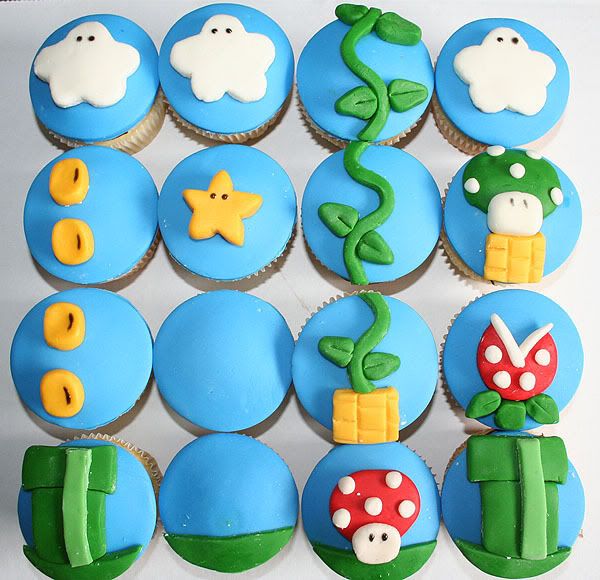

 All I can say is I am SO DOING THIS!!!
 images from Martha Stewart
